Question:
Dear Coppell TV Repair,
Where do I find your blog on testing my power
board before I purchase the repair service?
Answer:
I will post a pictorial on this board as soon as I can , I promise...but I am just swamped at the moment.
So instead I will ask that customers in need just read the articles on the previous MLT versions and apply the knowledge from there.
Everything is 100% the same, only the connector locations and sizes are different.
But all control and output labels are the same and have the same functions.
So please refer to the following two articles:
http://blog.coppelltvrepair.com/2011/02/mlt168a-power-for-ilo-lct27ha36-akai.html
http://blog.coppelltvrepair.com/2012/02/how-to-test-mlt186-power-board-for-akai.html
And if you want to send the board here for service use the following link:
http://www.coppelltvrepair.com/newservice
Monday, September 24, 2012
Wednesday, August 29, 2012
How to fix cracked or scratched glass of a plasma TV
Before getting in any details I must clarify: every plasma TV is made up of a glass plasma display and a plastic or tampered glass protective cover on top of it; what you touch at the front of a plasma TV is not the display itself, which is fairly thin and very fragile. What you touch is the protective glass, which serves dual function - protects the actual plasma display and protects the viewers from the radiation emitted by the display (a UV or other kind of filter - frankly I do not know what exactly, but it doesn't matter as long as you know it is meant to be there to serve such a purpose).
So this article is about the rare case of having an intact display and cracked or scratched protective layer.
This is much more rare than the opposite - intact protective layer and cracked/broken display, but just yesterday a walk-in customer proved it is not impossible to achieve.
How did his kids manage to do it I am still not sure, but he maintained they somehow did and as a result his 42'' Magnavox 42PF7220A/37 ended up with intact display and a cracked protective window, which, being thick and cracked, presented notable obstruction to proper viewing.
He asked if we have such a widow and of course was not surprised to find we didn't. He said he found one on eBay for about $270 or so, but of course that didn't make any practical sense.
So I looked around and simply offered him to use a protector from one of the many 42'' plasma TVs we had from about the same time , which had broken displays or were otherwise laying around waiting for better days to finally go to garbage.
In his case it was a Vizio P42HDTV10A I ended up giving him the window from.
I made $40 I would have otherwise dumped at the trash and he seemed happy too so I guess price was right for him as well.
He said it was slightly larger, but acceptable.
If you end up in the same boat just go to a few local TV shops and ask them for old units of the same size...I wouldn't pay more than $50 for one, $35 is probably more accurate if you have to do all the work to get the glass out.
Good luck!
Bobby @ Coppell TV Repair
So this article is about the rare case of having an intact display and cracked or scratched protective layer.
This is much more rare than the opposite - intact protective layer and cracked/broken display, but just yesterday a walk-in customer proved it is not impossible to achieve.
How did his kids manage to do it I am still not sure, but he maintained they somehow did and as a result his 42'' Magnavox 42PF7220A/37 ended up with intact display and a cracked protective window, which, being thick and cracked, presented notable obstruction to proper viewing.
He asked if we have such a widow and of course was not surprised to find we didn't. He said he found one on eBay for about $270 or so, but of course that didn't make any practical sense.
So I looked around and simply offered him to use a protector from one of the many 42'' plasma TVs we had from about the same time , which had broken displays or were otherwise laying around waiting for better days to finally go to garbage.
In his case it was a Vizio P42HDTV10A I ended up giving him the window from.
I made $40 I would have otherwise dumped at the trash and he seemed happy too so I guess price was right for him as well.
He said it was slightly larger, but acceptable.
If you end up in the same boat just go to a few local TV shops and ask them for old units of the same size...I wouldn't pay more than $50 for one, $35 is probably more accurate if you have to do all the work to get the glass out.
Good luck!
Bobby @ Coppell TV Repair
Saturday, August 11, 2012
SAMSUNG HP-T5064X/XAA sound with no image - failed power board BN44-00162A...or not?
Note: below is a correspondence between us and a customer regarding his Samsung HP-T5064.
100% of what is said applies to the more popular model HP-T5054 as well as actually most other plasma TVs manufactured about the same time.
There's more to be said about them and I will maybe post another article about it, but this time the focus is on the common mistake I see of blaming the power board after reading a few misleading (and ofter confused by themselves) opinions by "experts" on sites like FixYa or Answer.com.
02 February 2014 update: We just posted an article showing how to test power supply boards BN44-00161A, BN44-00162A , BN44-00160A and others.
Customer:
Dear Coppell TV Repair,
I have a Samsung HP-T5064X/XAA and I believe I have a failed SMPS board, part #BN44-00162A. I prefer to not replace individual components parts to make the repair. Two questions:
1. Do you sell the SMPS board?
2. If not, can you repair the board if I bring it in? (I'm a little west of Ft Worth.)
Coppell TV Repair:
Thank you for responding so fast.
The bare fact that the TV comes on and stays on (even without an image) suggests the power board is just fine.
This explanation alone is well worth $20?
We are well aware they are too high even right now, the problem is that the new buffer boards are very expensive still...and we know from long and bitter experience that this particular failure better be done right and expensive than cheap.
100% of what is said applies to the more popular model HP-T5054 as well as actually most other plasma TVs manufactured about the same time.
There's more to be said about them and I will maybe post another article about it, but this time the focus is on the common mistake I see of blaming the power board after reading a few misleading (and ofter confused by themselves) opinions by "experts" on sites like FixYa or Answer.com.
02 February 2014 update: We just posted an article showing how to test power supply boards BN44-00161A, BN44-00162A , BN44-00160A and others.
Customer:
Dear Coppell TV Repair,
I have a Samsung HP-T5064X/XAA and I believe I have a failed SMPS board, part #BN44-00162A. I prefer to not replace individual components parts to make the repair. Two questions:
1. Do you sell the SMPS board?
2. If not, can you repair the board if I bring it in? (I'm a little west of Ft Worth.)
Coppell TV Repair:
1)
Yes , I believe we have at least one at the moment. There are number of different board models
that would do the job and I know we have at least one in working mode, but I
also know I have at least three people about to drop by and maybe swap their
bad board (if bad) with a good one
2)
Yes we do repair them whenever we can (we usually can). But the
really important question here is
3)
Why do you think it is the power board that is bad and not ,
say, the trio of the Y-Main and the two buffers? Those fail way more often in
your TV.
Customer:
Thank you for responding so fast.
I confess to being fairly
electronics-dumb. My guidance so far has been reviewing help websites
(fixya) and going through others' troubleshooting steps. I'm pretty good
at soldering wires under the hood of a car, but soldering PCB is WAY beyond my
abilities. I was going to just replace the board rather than taking a
chance on replacing components and then burning out the board anyway.
Here's the rundown of the problem:
The entire screen unexpectedly
went black but sound remains. It appears black, not dim. I did the
usual "wait and retry" but there is no change.
I removed the back cover and
inspected the 4 main boards (left side, right side, inputs board at bottom
center, and the (SMPS board?) top center board that seems to be the master
board that all others feed from via flat cable. I see no signs of burning
or soot.
I removed the cable from
connection 807, plugged in power, turned on the TV and get normal start sound
(4 ascending notes) and typical 4 slow pulses of the blue light. No
change in black screen. I then turned off the TV and got the normal sound
(4 descending notes) and the blue light stays on as it usual. I unplugged
the TV and reconnected the 807. I repeated this process for the 808, 809,
and 810 cables. I got the same result every time. This lead me to
believe it is the SMPS board instead of one of the others.
I know that it is always a crap
shoot trying to "diagnose via email", but then again, I'm sure you
see this type of problem rather frequently. Are you open today? I'd
rather not bring in the whole TV if possible, can you advise me what board(s) I
should bring? I'm more than willing to swap out plug-in components if
that's what the repair entails, but when it comes to soldering boards, I'd
rather leave that to you professionals.
Thanks for your help. It is
a pleasure dealing with someone local.
Coppell TV Repair:
Well your conclusion is incorrect.
Based on what you say it is highly unlikely for your problem to
be in the power board.
First, if the power board does not produce the output voltages
it is supposed to produce then its own control logic will catch the event and
shut it off to prevent further damage.
The bare fact that the TV comes on and stays on (even without an image) suggests the power board is just fine.
Second, the description you give is the most common one for a
typical failure in the Y-Main board and buffers , which I told you is the most
popular in those TV – the unit comes on with no screen.
I don’t have the board handy (I am at home now), but when the
Y-Main is bad there are a number of connectors you can disconnect and the
result would still be the same – the TV would come on with no display.
Imagine removing the wheels on a car that does not turn on
because of whatever problem with the starter; it would still not start, right?
You could also remove the alternator to the same effect J
You are looking at about $240 in fixes and that’s if you bring
the Y-Main board and the two buffers to us. The Y-Main will have to be repaired
and the two buffer boards will most likely need to be replaced.
This explanation alone is well worth $20?
Isn’t it? :-)
Follow-up for the online post:
Hope this helps avoid this common confusing and save a little time and a few bucks.
We offer repair services for both the power board and the Y-Main board in Samsung HP-T5064 (same as Samsung HP-T5054 by the way).
A more generic way to send us boards is to use the free form for initiating a new service order:
Prices will sure change over time, but it is highly unlikely that they will go up in the near future.
We are well aware they are too high even right now, the problem is that the new buffer boards are very expensive still...and we know from long and bitter experience that this particular failure better be done right and expensive than cheap.
Friday, July 13, 2012
RCA 42LA45RQ NO PICTURE / NO BACKLIGHT PROBLEM AND REPAIR
Q: Dear Coppell TV Repair, the TV you once fixed for us is still working fine - thank you for that! - but our recently acquired RCA 42LA45RQ stopped working last night and we are naturally coming back to you. The TV is less than a year old and has been working fine until last night when it suddenly turned black as we were watching it. Now every time we try to turn it on it only flashes for a second and then goes black. Sound is otherwise working fine. Can you fix that? Any advice is greatly appreciated.
- Barbara and Jason Williams
A: Well actually we can. We just can't keep up enough with the blog to post of all the findings we have.
There is a known issue with the RCA 42LA45RQ resulting in just what you describe.
Before I get any further I need to explain that like other low-cost brands (no offense meant, it's becoming more and more popular) the RCA 42LA45RQ is known to come in several different variants internally.
If you dig a bit more around the net you will find that the same model yields several different options for the power board, for example.
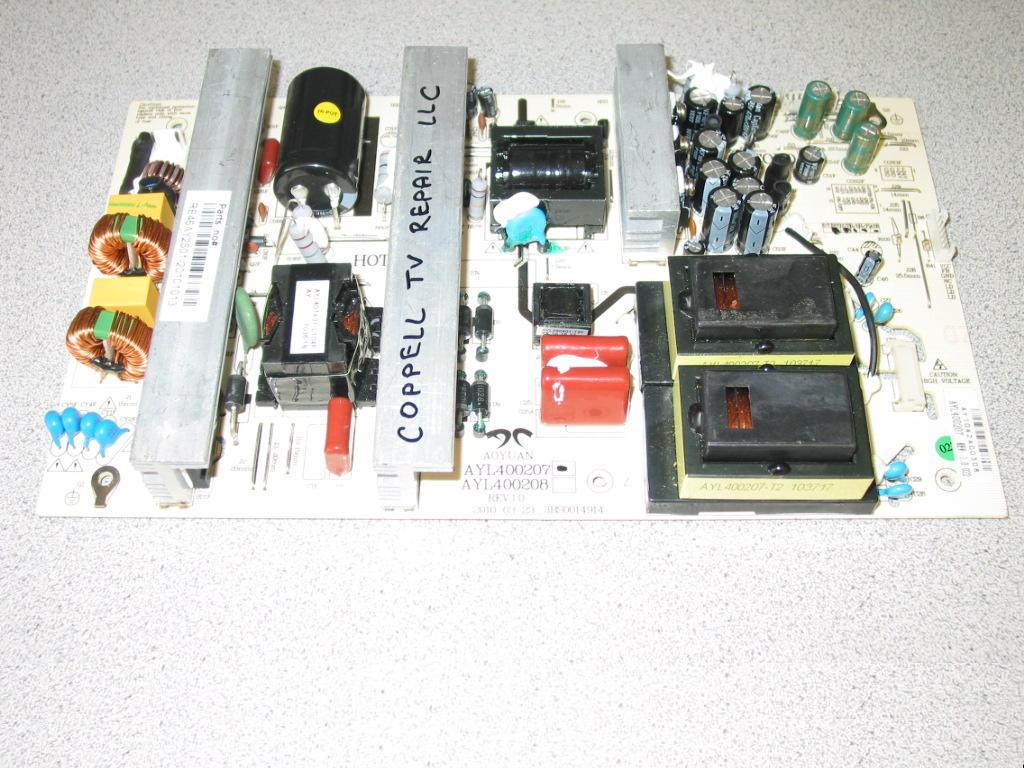
Anyway, the issue is known to develop in power board AOYUAN AYL400207 as shown below:
(modified May 2013)
As of May 2013 we offer both a DIY repair kit for AYL400207 and a repair service for AYL400207. There is a good chance we might drop the repair service in future as other problems on the same board prove to be very difficult to isolate.
If you have any questions do not hesitate to ask!
- Barbara and Jason Williams
A: Well actually we can. We just can't keep up enough with the blog to post of all the findings we have.
There is a known issue with the RCA 42LA45RQ resulting in just what you describe.
Before I get any further I need to explain that like other low-cost brands (no offense meant, it's becoming more and more popular) the RCA 42LA45RQ is known to come in several different variants internally.
If you dig a bit more around the net you will find that the same model yields several different options for the power board, for example.
Anyway, the issue is known to develop in power board AOYUAN AYL400207 as shown below:
(modified May 2013)
As of May 2013 we offer both a DIY repair kit for AYL400207 and a repair service for AYL400207. There is a good chance we might drop the repair service in future as other problems on the same board prove to be very difficult to isolate.
If you have any questions do not hesitate to ask!
Wednesday, July 11, 2012
Sanyo DP47460, DP42840, DP46819 and DP52449 problems and repair
October 2012 update:
Coppell TV Repair now offers repair services for the below Sanyo LCD or plasma TV models. If you do not see your model on the list, follow this link to search our website as we may be already supporting it too!
Here's another posting for a probably not so widespread yet definitely not unique Sanyo problem affecting HDMI ports:
http://blog.coppelltvrepair.com/2014/04/please-use-audio-3-input-for-dvi.html
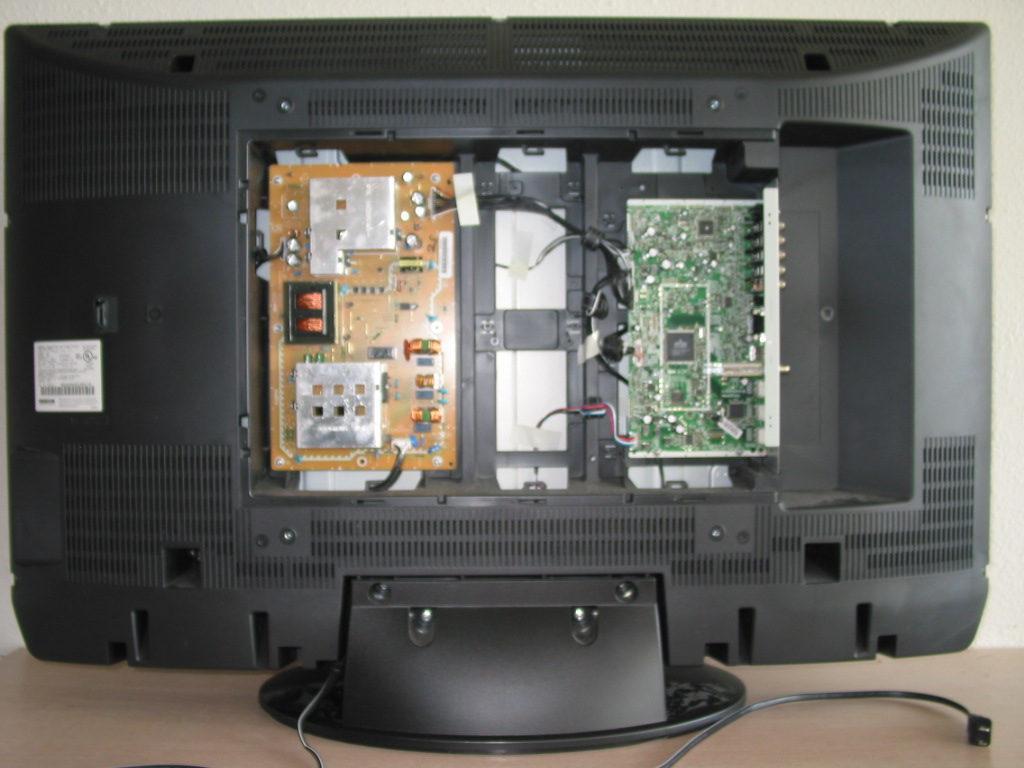
A few weeks ago we fixed a 52'' Sanyo with a problem in the main board for a local customer.
The model was DP52449 and the problem was that when you turn it on it would never come up; the LED at the front would stay green for 5-10 seconds , then turn off for a second and then turn back green again for another 5-10 seconds and so on.
A little Internet research would reveal that the issue seems to be widespread among those TVs.
Resolving it took some time and resoldering on the main board with original parts from Sanyo (more on that later).
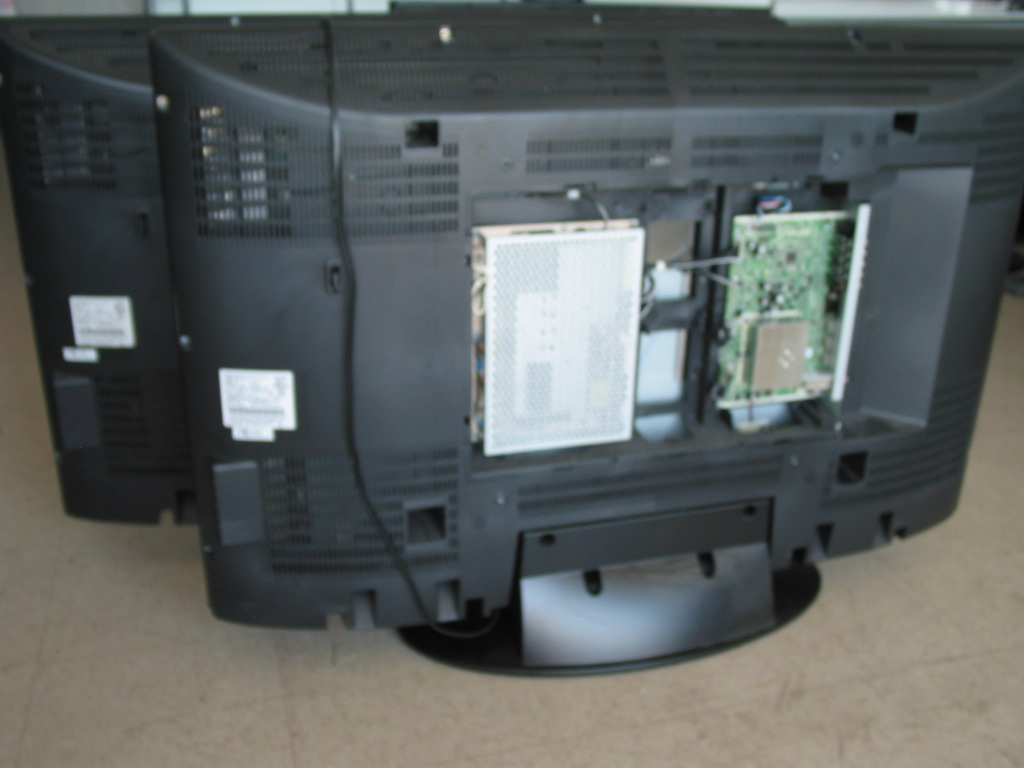
We haven't done a lot of Sanyo TVs before , but the news must have somehow gotten out because yesterday we were literally swamped with Sanyo LCDs of different makes and models - some with similar problems and some not so much.
The situation may be familiar to others, but it is new to us, so I've taken the liberty to take a minute and just list them here.
I may be posting individual hints and solutions later on, at the time I will just post the units that were brought to us in two days from end customers and local TV service centers along with the problem descriptions.
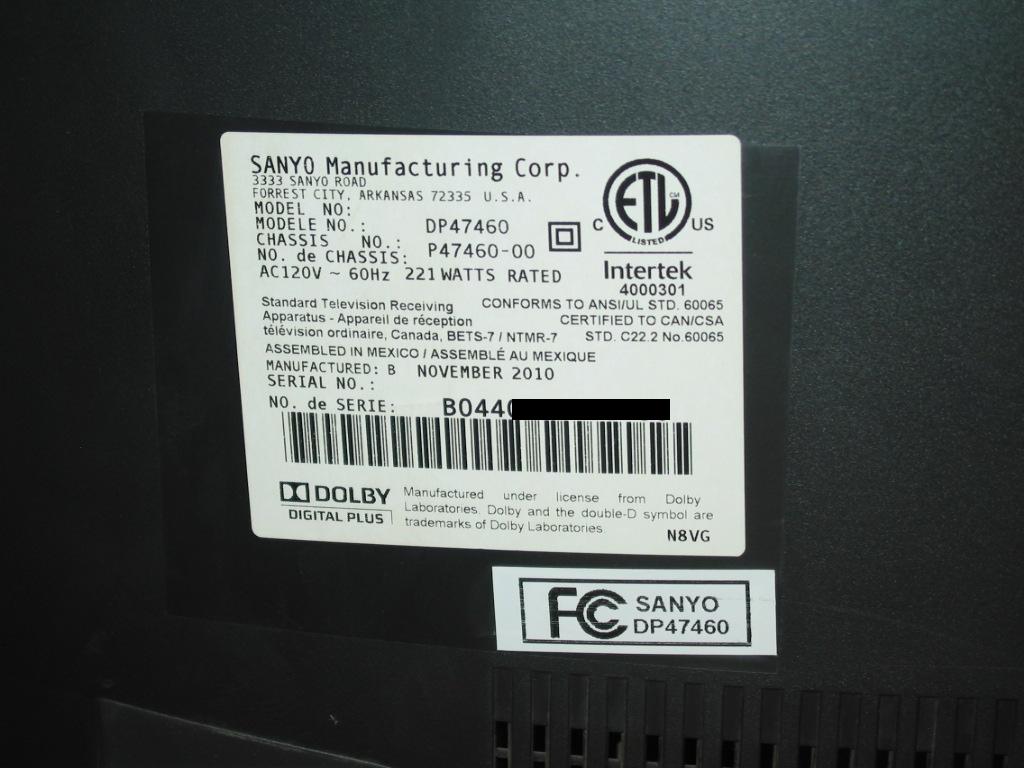
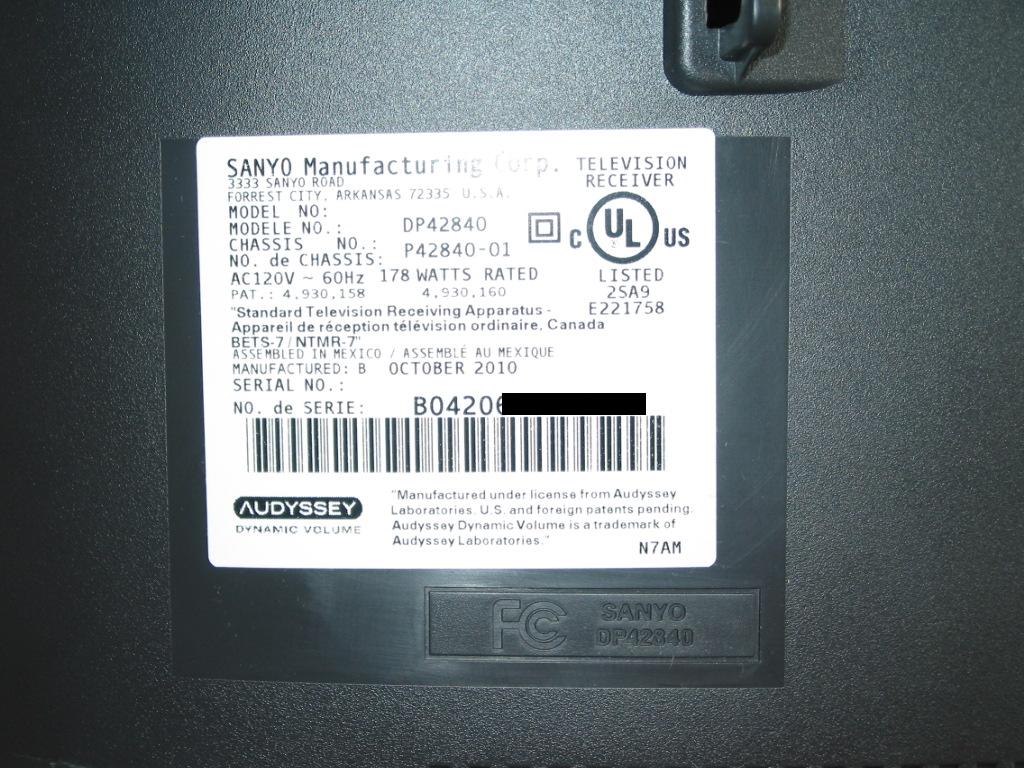
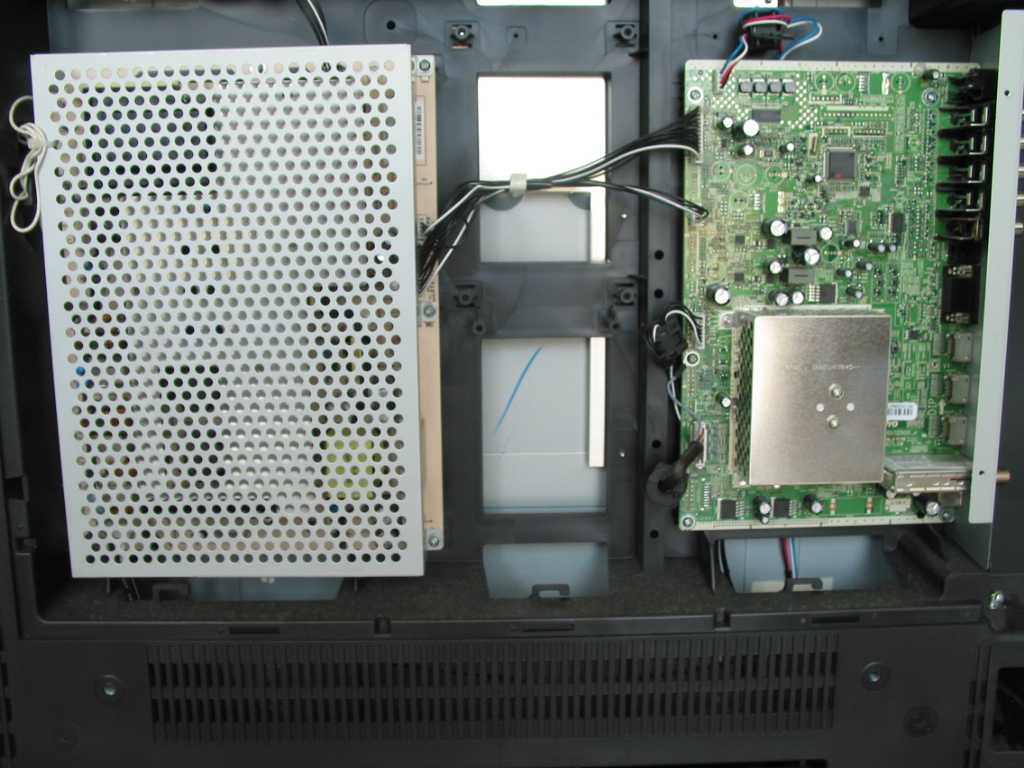
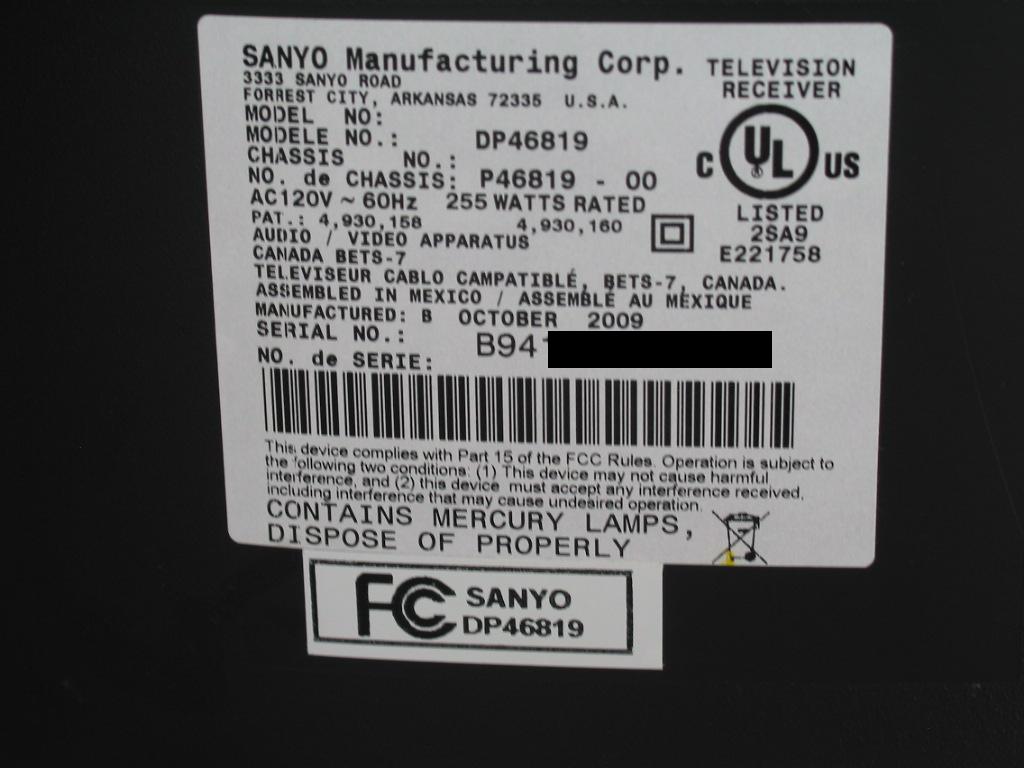
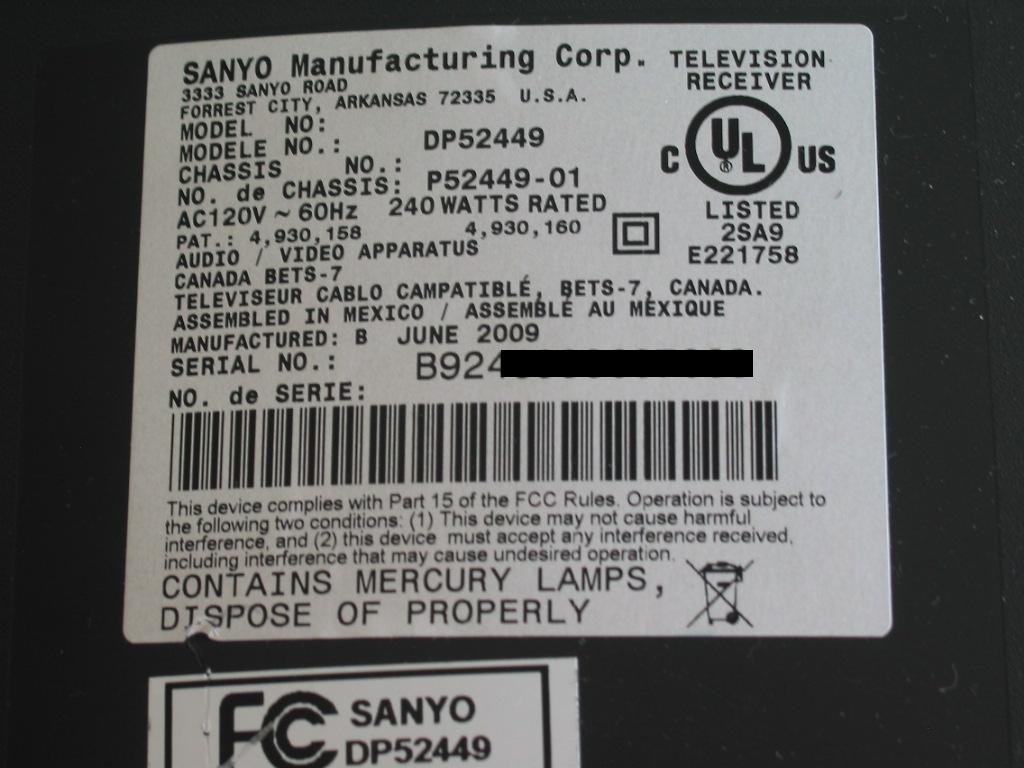
I'm also posting the pictures of each unique unit's specification sheet as a proof that this is not just a shameless advertising, but an actual stampede of TVs at our service shop.
Serial numbers have been manually removed on each picture.
NOTE: if you have a Sanyo TV with a similar problem and you need a service please contact us via the contact form at http://www.coppelltvrepair.com and do not post comments here...at least at the time of posting this online we rarely have the time to check blog post responses.
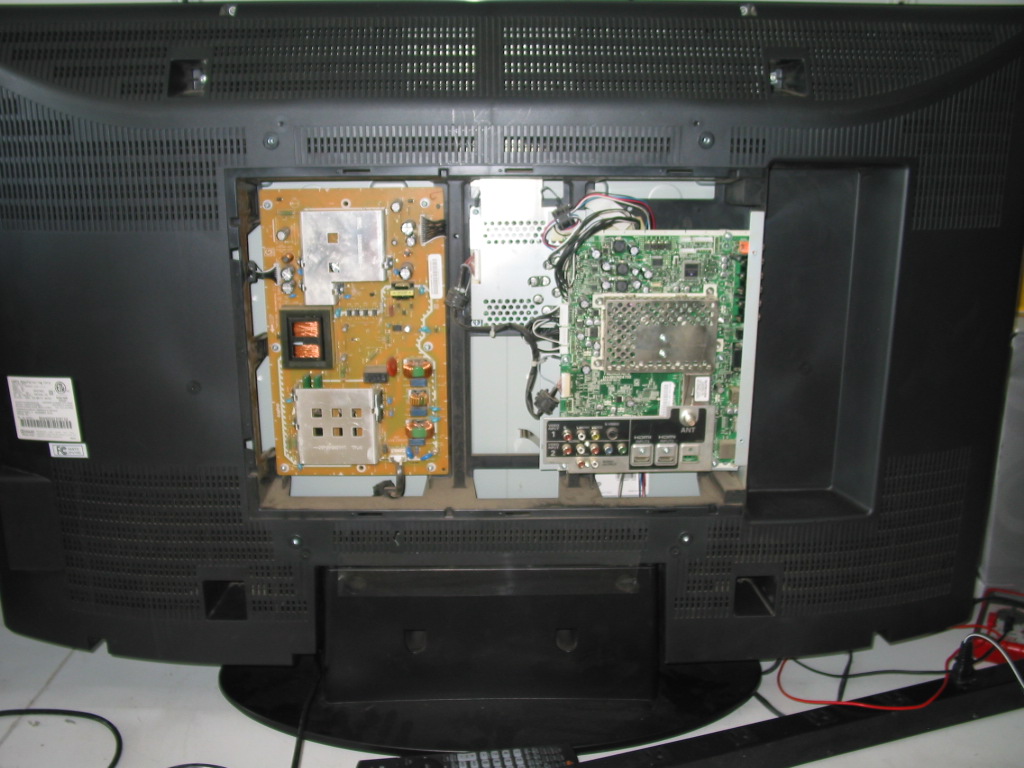
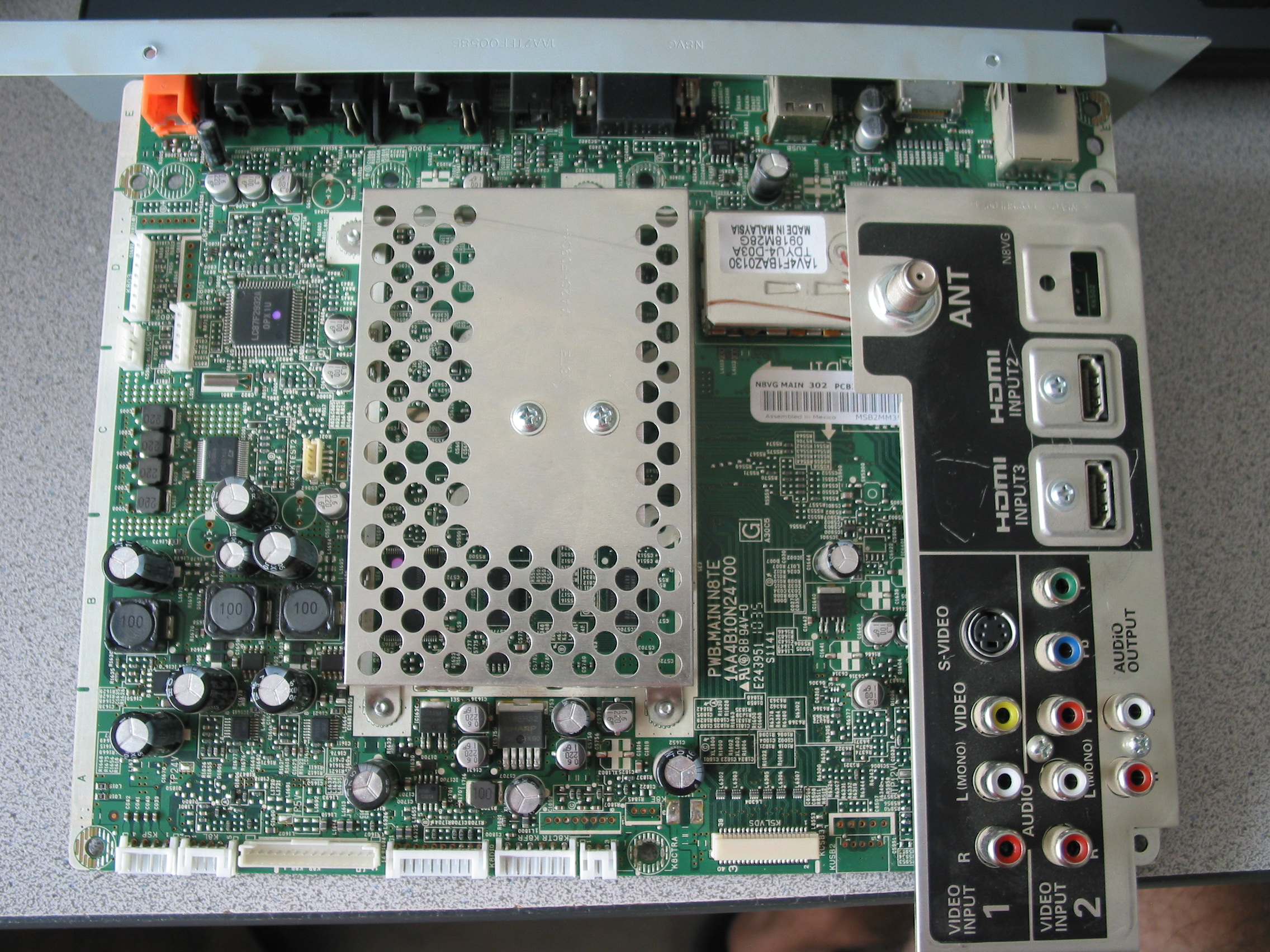
1) SANYO DP47460 SHUTS OFF AFTER BEING POWERED ON, BLOCKS AFTER 3 TRIES
MODEL: DP47460
MAIN BOARD: PWB.MAIN N8TE / 1AA4B10N24700 / N8VG MAIN
PICTURES:
COMMENTS: Screen comes up at initial power on for a brief time and then the TV shuts off. After three consecutive attempts the TV locks out and requires removal from AC power source in order to try turning on again, suggesting built-in protection.
Such problems are commonly caused by 1) bad solder joints (especially in BGA ICs) , bad voltage stabilizers - be it in the power board or the main board itself - and messed up memory configuration, usually due to power surges.
SOLUTION: In progress as of time of this writing. We were able to narrow it down to the audio tract by removing the voltage feedback protection for the audio tract, though, and got the TV to power on and operate reliably without sound. Clearly either the audio amplifier or the audio power step-down converter is at fault here.
2) SANYO DP42840 - INTERMITTENT AUDIO, SHUTS OFF
MODEL: SANYO DP42840
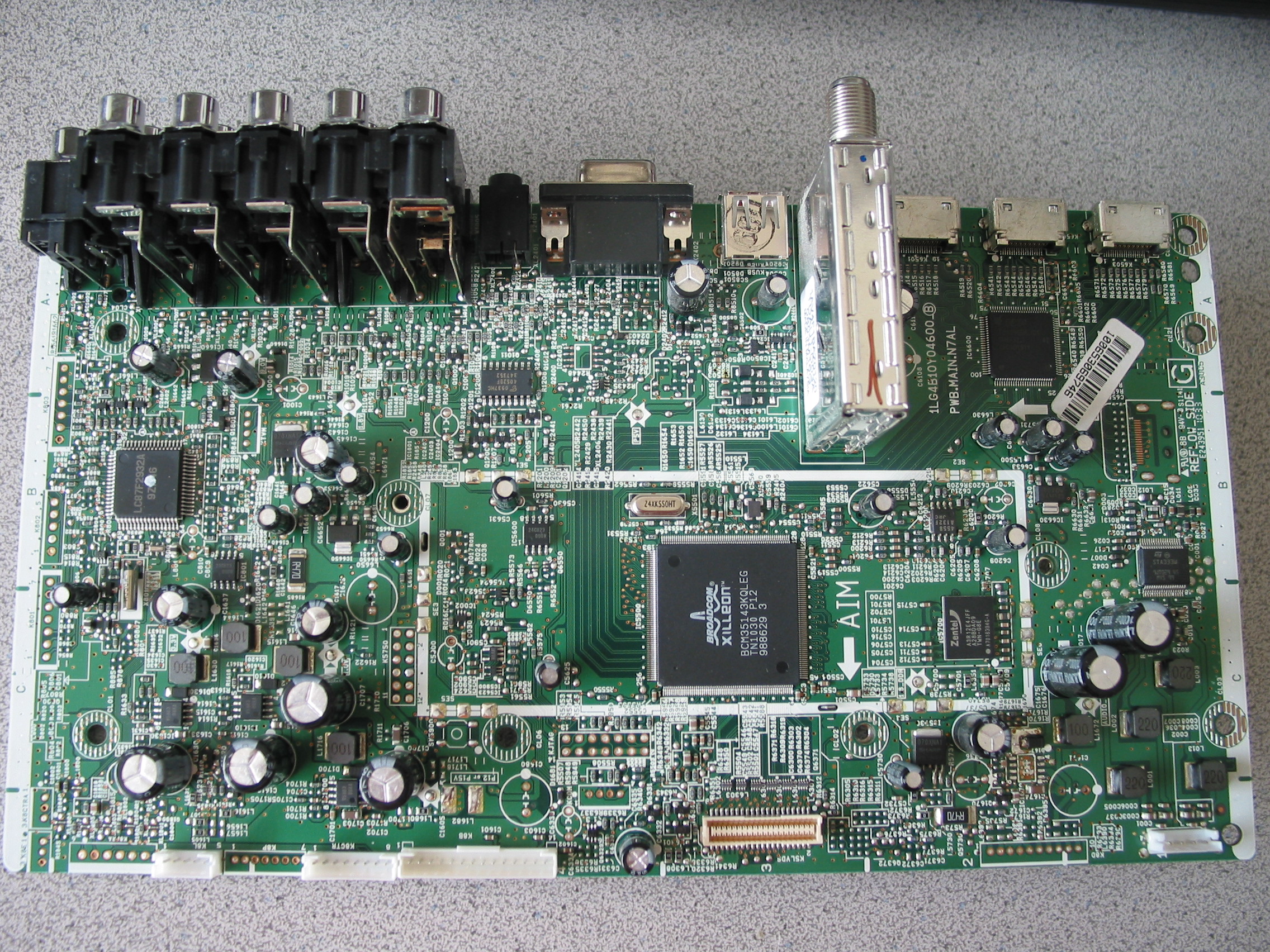
MAIN BOARD: PWB.MAIN.N7AL / 1LG4B10Y04600_B
PICTURES:
COMMENTS: This sounds and possibly is a variation of the above described problem. It is either bad power to the audio amplifier or bad amplifier itself.
3) SANYO DP46819 - DOES NOT POWER ON, GREEN LED CYCLES EVERY 10 SECONDS
MODEL: SANYO DP46819
MAIN BOARD: PWB.MAIN.N7EJ
PICTURES:
COMMENTS: We've got two of those in and they both do the same. The problem is in the main board and requires precise component removal and replacement with an OEM Sanyo part.
You won't find that component - and neither the board itself - at a chop shop like SJ or even official parts vendor like MCM - component level repair is the only option here and for the record that's not something that can be done at home and - in most cases - by field service technicians.
If your TV suffers from the same symptom and if you want to send us your board for service please use the contact/shipping instructions link at http://www.coppelltvrepair.com and make sure to include your TV model and serial number from the label as shown on the above picture.
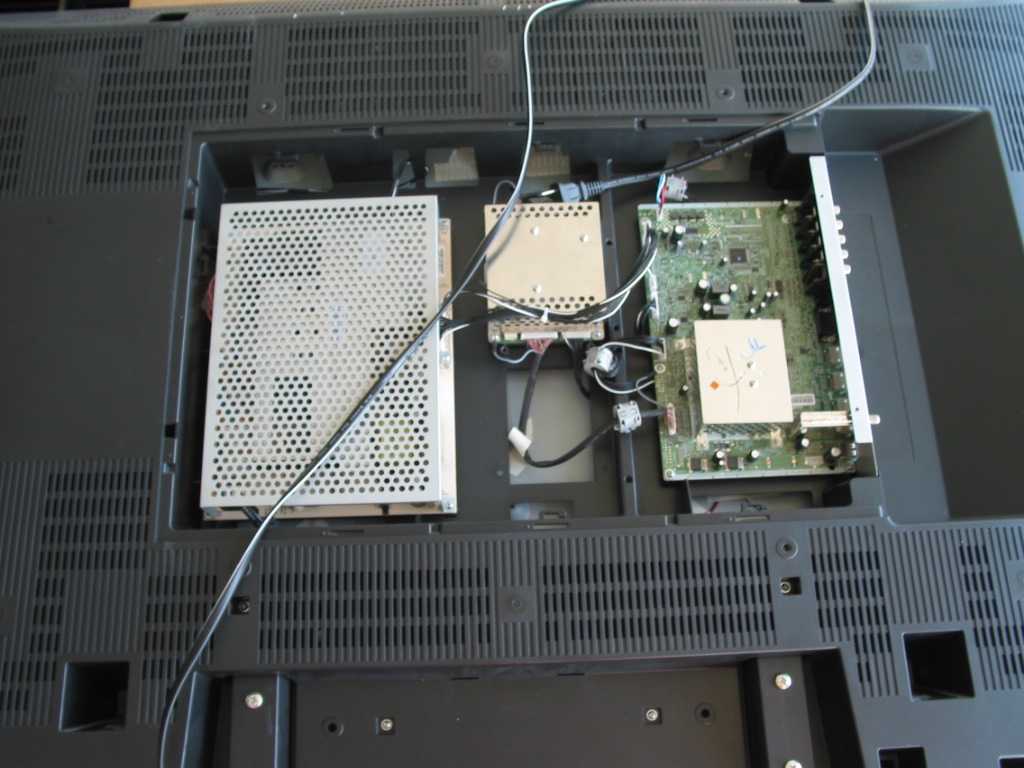
4) SANYO DP52449 - DOES NOT POWER ON, GREEN LED CYCLES EVERY 20 SECONDS;
UPON FIXING THIS COMES UP WITH SAW-LIKE SOUND
MODEL: SANYO DP52449
MAIN BOARD: N7KE
PICTURES:
COMMENTS: There were two separate problems in this TV. One was that it would never power on completely, the back light would never activate and the front LED would only cycle. Fixing this required component level service of the main board.
Upon completing the service the TV would come on with very loud and trembling sound, nothing like what it was supposed to. We are still looking into this as of writing this article. It is most likely bad audio amplifier since the power going to it seems to be correct.
Update: problem was found and attributed to failed audio power amplifier IC or amplifier itself.
Our modifications of the main board increase the load the amplifier can take, but even with it we STRONGLY recommend that you do not play audio at more than 70% of the sound level bar.
Coppell TV Repair now offers repair services for the below Sanyo LCD or plasma TV models. If you do not see your model on the list, follow this link to search our website as we may be already supporting it too!
- Sanyo DP37819 , Sanyo DP42840 , Sanyo DP42849 , Sanyo DP46819 , Sanyo DP46840 , Sanyo DP46849 , Sanyo DP47460 , Sanyo DP50719 , Sanyo DP50749 , Sanyo DP52449 , Sanyo DP55360 and more...
Here's another posting for a probably not so widespread yet definitely not unique Sanyo problem affecting HDMI ports:
http://blog.coppelltvrepair.com/2014/04/please-use-audio-3-input-for-dvi.html
A few weeks ago we fixed a 52'' Sanyo with a problem in the main board for a local customer.
The model was DP52449 and the problem was that when you turn it on it would never come up; the LED at the front would stay green for 5-10 seconds , then turn off for a second and then turn back green again for another 5-10 seconds and so on.
A little Internet research would reveal that the issue seems to be widespread among those TVs.
Resolving it took some time and resoldering on the main board with original parts from Sanyo (more on that later).
We haven't done a lot of Sanyo TVs before , but the news must have somehow gotten out because yesterday we were literally swamped with Sanyo LCDs of different makes and models - some with similar problems and some not so much.
The situation may be familiar to others, but it is new to us, so I've taken the liberty to take a minute and just list them here.
I may be posting individual hints and solutions later on, at the time I will just post the units that were brought to us in two days from end customers and local TV service centers along with the problem descriptions.
I'm also posting the pictures of each unique unit's specification sheet as a proof that this is not just a shameless advertising, but an actual stampede of TVs at our service shop.
Serial numbers have been manually removed on each picture.
NOTE: if you have a Sanyo TV with a similar problem and you need a service please contact us via the contact form at http://www.coppelltvrepair.com and do not post comments here...at least at the time of posting this online we rarely have the time to check blog post responses.
1) SANYO DP47460 SHUTS OFF AFTER BEING POWERED ON, BLOCKS AFTER 3 TRIES
MODEL: DP47460
MAIN BOARD: PWB.MAIN N8TE / 1AA4B10N24700 / N8VG MAIN
PICTURES:
COMMENTS: Screen comes up at initial power on for a brief time and then the TV shuts off. After three consecutive attempts the TV locks out and requires removal from AC power source in order to try turning on again, suggesting built-in protection.
Such problems are commonly caused by 1) bad solder joints (especially in BGA ICs) , bad voltage stabilizers - be it in the power board or the main board itself - and messed up memory configuration, usually due to power surges.
SOLUTION: In progress as of time of this writing. We were able to narrow it down to the audio tract by removing the voltage feedback protection for the audio tract, though, and got the TV to power on and operate reliably without sound. Clearly either the audio amplifier or the audio power step-down converter is at fault here.
2) SANYO DP42840 - INTERMITTENT AUDIO, SHUTS OFF
MODEL: SANYO DP42840
MAIN BOARD: PWB.MAIN.N7AL / 1LG4B10Y04600_B
PICTURES:
COMMENTS: This sounds and possibly is a variation of the above described problem. It is either bad power to the audio amplifier or bad amplifier itself.
3) SANYO DP46819 - DOES NOT POWER ON, GREEN LED CYCLES EVERY 10 SECONDS
MODEL: SANYO DP46819
MAIN BOARD: PWB.MAIN.N7EJ
PICTURES:
COMMENTS: We've got two of those in and they both do the same. The problem is in the main board and requires precise component removal and replacement with an OEM Sanyo part.
You won't find that component - and neither the board itself - at a chop shop like SJ or even official parts vendor like MCM - component level repair is the only option here and for the record that's not something that can be done at home and - in most cases - by field service technicians.
If your TV suffers from the same symptom and if you want to send us your board for service please use the contact/shipping instructions link at http://www.coppelltvrepair.com and make sure to include your TV model and serial number from the label as shown on the above picture.
UPON FIXING THIS COMES UP WITH SAW-LIKE SOUND
MODEL: SANYO DP52449
MAIN BOARD: N7KE
PICTURES:
Upon completing the service the TV would come on with very loud and trembling sound, nothing like what it was supposed to. We are still looking into this as of writing this article. It is most likely bad audio amplifier since the power going to it seems to be correct.
Update: problem was found and attributed to failed audio power amplifier IC or amplifier itself.
Our modifications of the main board increase the load the amplifier can take, but even with it we STRONGLY recommend that you do not play audio at more than 70% of the sound level bar.
Friday, June 8, 2012
On testing charges, sustain lifespan, universal laws and oil changes
Dear Coppell TV Repair,We often get asked similar questions and although I've touched on the subject previously, I'll answer this one direct and forward similar questions to this post in the future.
I have a Zenith Z50PX2D.
I'm not sure which module is defective (symptoms are exactly as described on many sites!)
If I send you both modules (Y-sus and Z-sus), could you verify which one is defective, do the repair and return both back. (so I only have to pay for 1 repair) ?
Thanks,
Nick
There are several things I want to cover, but I'll start with the answer to the question asked: yes, you can always send both sustain boards and let us determine which one is bad and service only that one.
However, you'll have to pay us for testing the other sustain board is working good and that is often a waste of your money.
Here are the most important reasons why:
1. TESTING BOARDS MEANS SERVICE CHARGES
I guess to many that sounds like blood sucking banking fees, but here are a few simple reasons why testing translates to costs and therefore to charges:
We bench test every single board that gets into our service facility and that bench testing helps discover apparent problems and thus save us the time and effort to put the board in a real set.
If all bench tests pass OK, though, we must put the board in a set as this is the final and ultimate test.
Sometimes they pass it and other times they do not.
So one, it takes time to make certain a board works good and that time needs to be paid.
As the enumerator in the above sentence suggests there's more to it than just time.
Sometimes the board turns out to be defective or may fail while testing. Rarely, but when you do hundreds of them per month rare changes its meaning.
Suffices to say it happens more often than we'd like.
So when it happens it can burn another board - whether because the one we're testing is malfunctioning or just failed; for example a malfunctioning Y-Main board may easily kill a buffer board and a failed sustain , either ZSUS or YSUS, can sometimes kill the power board.
Meaning two, there is a certain statistical risk in testing boards and that also means extra cost.
Last but not least, there is also a pure human factor risk in operating, which is different than time and different than statistical risk of coming across a failed board or a board that decides to fail on you.
We all do mistakes sometimes and the more we work with something the more likely it is to happen.
So three, there's the human error factor that needs to be shielded.
In summary, this is why we (and everyone with any brain) need to charge for a simple test of a working board.
2. THERE IS LITTLE VALUE / GREAT RISK IN KNOWING THAT CERTAIN MODULES ARE "NOW" WORKING
As I've pointed out many times before, some modules have particularly limited life span.
In our case, the Y-sustain and Z-Sustain boards in Zenith Z50PX2D fall in this category as all other modules in the TV easily outlast them.
If the two boards have similar life span (which is normal to assume since they use the same components to perform very similar functions on both sides of the plasma display panel) then it stands to reason that one should expect them to fail shortly after each other.
There are no two completely identical objects in the universe, though, and if there are they aren't being treated absolutely equally by the rest of the universe, so they can't be naturally expect to fail at the exact same time, or even by the exact same time difference.
So what's the value of knowing that one such board is "working" when the other isn't?
Not much really.
It can fail on the next day or the day after or a month later. Maybe a year later although if they have been rally side by side from day one I'd say it is much more likely to be within several months than within a year.
Don't forget we have to charge you for telling you that it works now.
So how would it feel if it fails three days from now?
Wouldn't that be wasted money?!
For the record, we're OK doing it either way, as long as the customer understands the risks involved.
In my experience very few do.
SOME SUSTAIN BOARDS HAVE SIMILAR LIFE SPAN AND OTHERS DO NOT
It is important to point out that while YSUS and ZSUS in all plasma TVs have very similar functions and often times similar implementation, it is not technically correct to assume that they necessarily have the same lifetime.
Sometimes the YSUS and the ZSUS are actually implemented differently and other times external factors may be causing the failure and it may only be affecting one of the boards. This is most commonly the case when a buffer board fails and causes damage in the YSUS.
Not all TVs have that problem either, so there's no golden rule that works in all cases other than "buy a new TV".
If your TV has those sustain boards:
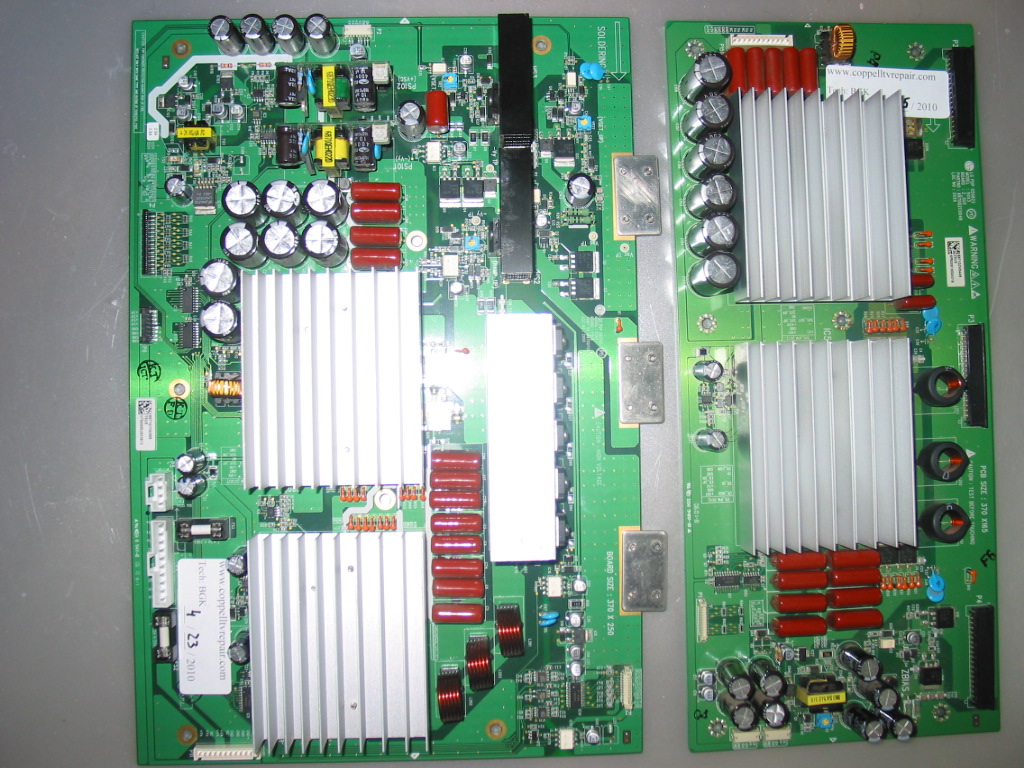
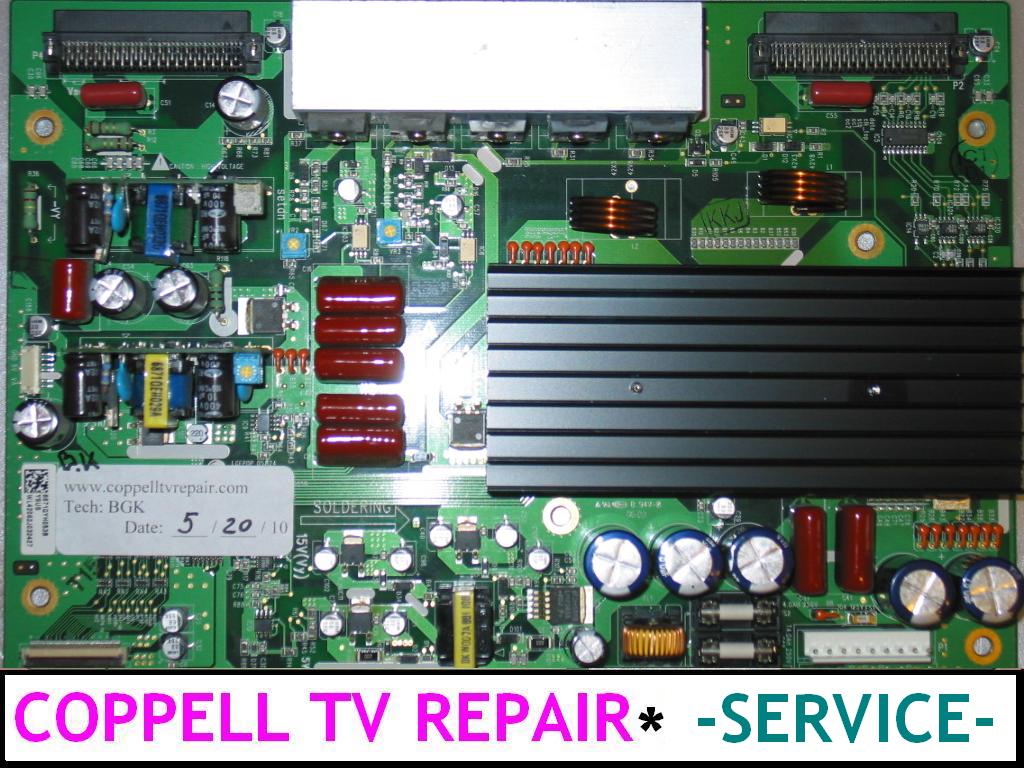
or this sustain board (too lazy to make picture of both, so just the Y-Main, sorry):
then the above considerations definitely apply to you as those tend to go bad in pairs.
ON HAVING FAILURE SYMPTOMS "EXACTLY AS DESCRIBED AT MANY SITES"
Hope that doesn't sound like picking on potential or current customer, but the Internet is so full of sh*t you'd be better off quoting it anyway.
People (including me) often assume that what they've experienced once or twice or three times represents general trend and formulate their experience as a general trend.
For example "the most common cause of the failure is the Y-Main board" [because my Y-Main has failed or because I've seen two, maybe three in a row where it failed].
Or "I opened my TV and didn't see any bulged caps on the power or sustain board". Well yeah, you won't because that's not what goes bad in your particular case even though Internet is full of people and cases where bulged capacitors were the problem.
To make things even better different failure syndromes (depending on how described) can be caused by completely different reasons.
A short on either YSUS or ZSUS board would cause the same automatic shutdown that can also be caused by a randomly failed power board or main board.
A failed YSUS board in one TV could result in completely different behavior from the one failed in another TV of the same model. Say on one they used Y-Main boards with IPMs from LG and in the other they used Y-Main boards with IPMs from Sanyo.
One would fail with a loud pop (maybe, most of the times anyway) and the other will go so quietly you may never actually notice it.
One may result in a dark screen, the other - in blinking.
It's the same failure (well almost), but two very different experiences and indications.
One can navigate through all of that on their own, of course....just as one can change their oil in the car, for example.
Most of the people - again including me - have their oil replaced by someone who's maybe not smarter, but definitely more efficient doing it.
Efficiency is a good thing.
Related:
Should I replace one or both sustain boards in my plasma TV?
How to identify failed sustain board for HP PL4260N?
Wednesday, May 9, 2012
Vizio VA320M does not power on or has negative image after replacing main board
Recently I worked on a Vizio VA320M LCD unit, which, when turned on, would change the color on the front side "Vizio" sign from yellow to white and stop there.
There was no sound and no picture in the unit, but it would respond to power off command and switch back from white to yellow.
My first thought was that it was a problem on the inverter, but after a little research I found that it wasn't.
How can you know it's not the inverter?
Well it's simple: you can see the +5V line on the power connector and you can measure it to see if there are +5V there.
Then you can measure the "back light on" line (BL_ON) and see that there is no logical 1 there (namely anything above 2.5V).
You can take that a step further and short the two, i.e. pass +5V to the BL_ON signal on the power connector and see the back light come on and stay on.
So the problem was apparently in the main board.
In my case it turned out to be either BGA soldering on the main board's processing IC gone bad or, possibly, memory corruption which was blocking execution of the main startup program leaving the TV in a somewhat un-initialized state yet good enough to allow shutting it down.
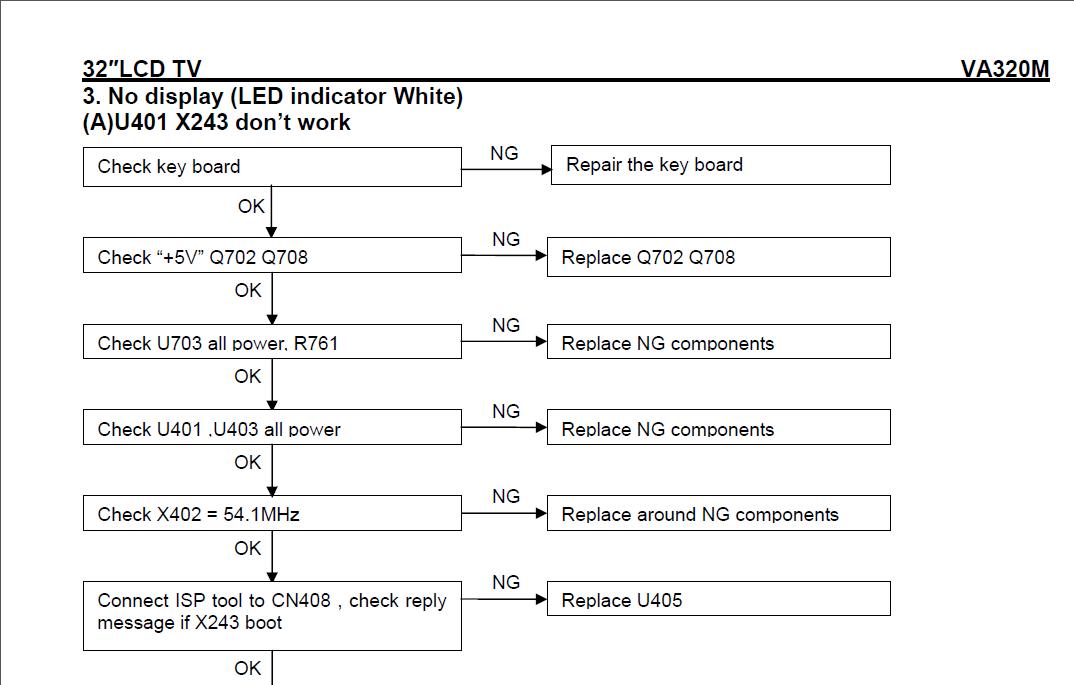
Below is the Vizio's troubleshooting guide for the situation:
It's the same TV model, you can't tell the difference from the outside, but on the inside it uses two different display panels and different drivers for them.
There was no sound and no picture in the unit, but it would respond to power off command and switch back from white to yellow.
My first thought was that it was a problem on the inverter, but after a little research I found that it wasn't.
How can you know it's not the inverter?
Well it's simple: you can see the +5V line on the power connector and you can measure it to see if there are +5V there.
Then you can measure the "back light on" line (BL_ON) and see that there is no logical 1 there (namely anything above 2.5V).
You can take that a step further and short the two, i.e. pass +5V to the BL_ON signal on the power connector and see the back light come on and stay on.
So the problem was apparently in the main board.
In my case it turned out to be either BGA soldering on the main board's processing IC gone bad or, possibly, memory corruption which was blocking execution of the main startup program leaving the TV in a somewhat un-initialized state yet good enough to allow shutting it down.
Below is the Vizio's troubleshooting guide for the situation:
It is clearly meant for absolute gurus and luckily that's what we are
because we managed to properly diagnose and solve the problem even
despite their help.
Anyhow, properly fixing the board required either BGA reworking or firmware flashing, i.e. service protocol reverse engineering and although a lot of fun, this also tends to be time consuming so we opted for leaving that for other high-end projects and just replacing the main board.
Here is the interesting part: Vizio VA320M comes , as often happens these days, in two different implementations: one is with an LG LCD panel and the other is with an AUO LCD panel and according T-Con board.
It's the same TV model, you can't tell the difference from the outside, but on the inside it uses two different display panels and different drivers for them.
Our main board was CBPFRD1KA1 and we couldn't find any store that was offering it, not at any meaningful price anyway.
So eventually we searched for "VA320M main board' and we found the following on SJ: "New Vizio CBPF9D1KZ2 Main Board for VA320M".
As listing clearly stated, this was from the TV version that had AUO LCD and the VA320M that we had was with the LG LCD...but what other chances we had? It was still faster (and cheaper) to get a working board than try to reverse-engineer the service protocol possibly after re-flowing the main IC on the board.
When the board arrived two days later we plugged it in out of curiosity and, not surprisingly, the TV came on...except it had some badly messed up colors.
Unfortunately I did not take a picture of it in time, but you hardly care that much anyway...you may already be seeing one after all :-)
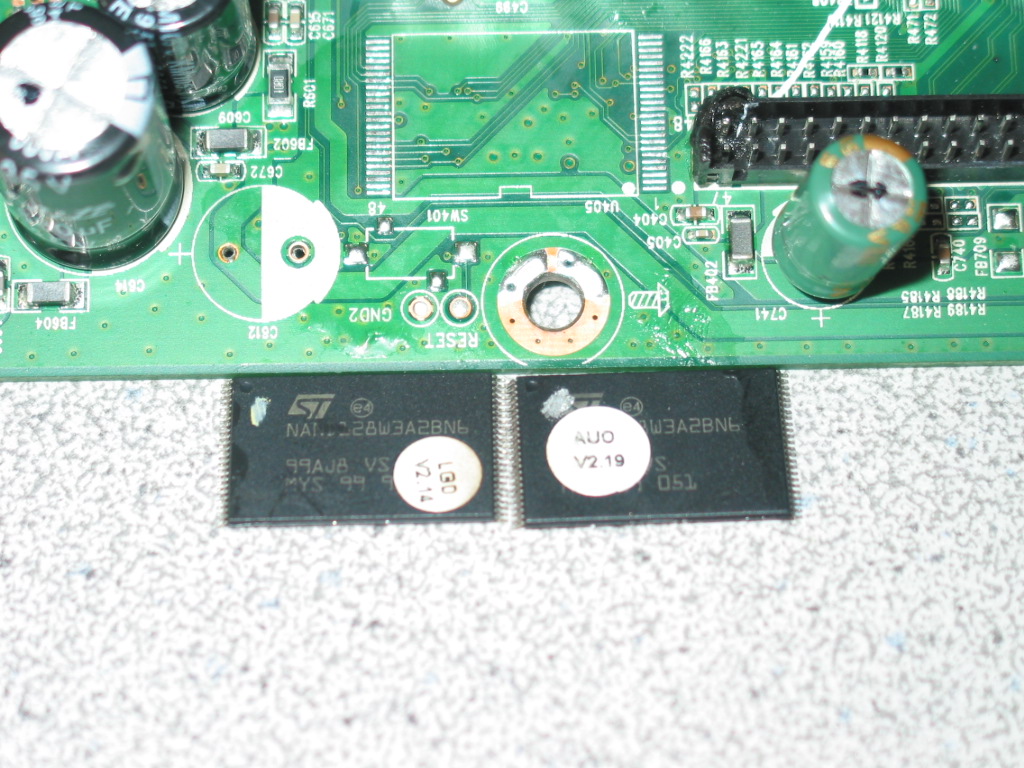
So what we ended up doing was replacing the LCD signal matrix encoding IC U405 on the working board with the one from the original LG board.
To make it easier for the operations we temporarily removed one nearby capacitor.
Here is a snapshot of the board with the two removed signal encoders (click to enlarge):
As you can see one of the ICs has an AUO label and the other has an LG label.
It was a precision job, but not nearly as difficult - or risky - as re-flowing the main IC on the faulty board.
And, of course, it worked flawlessly if you don't count the slightly melted LVDS connector :-)
Hope that helps!
Subscribe to:
Posts (Atom)